Sort Them Ducks Guides Hub
Calm, practical tutorials for the messy duck shop — from the first pickup to a finished store.
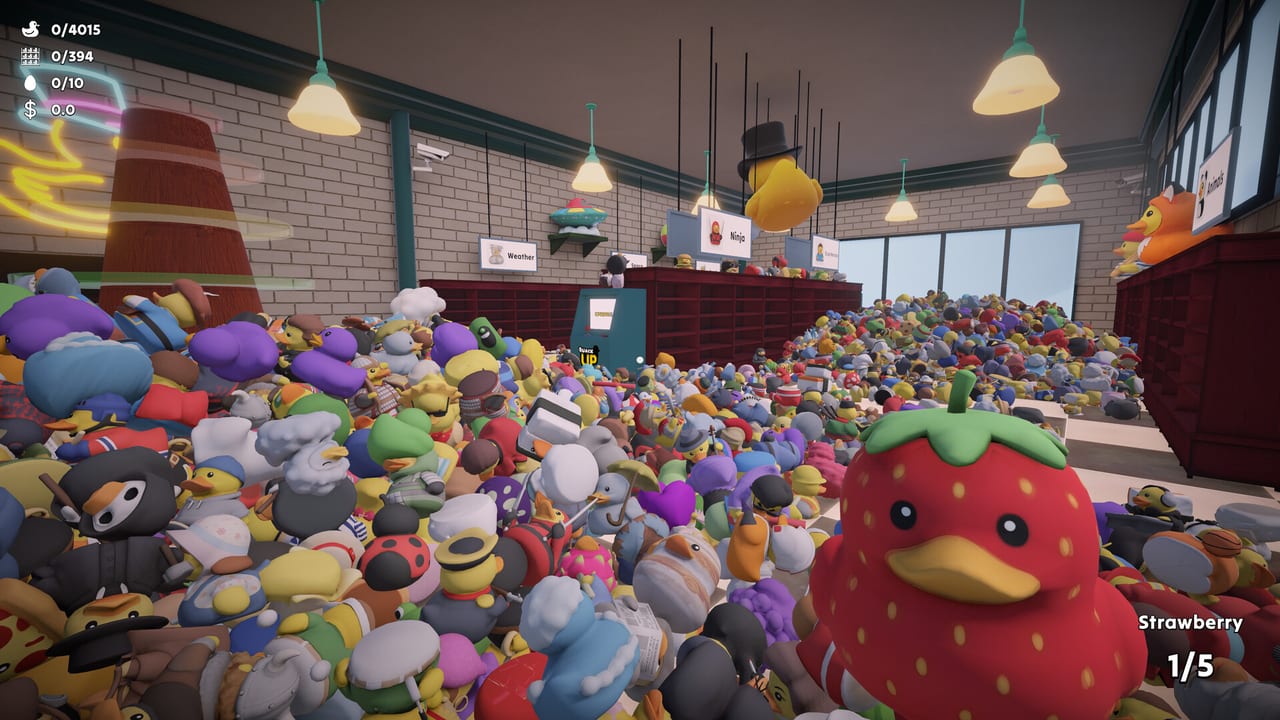
This hub is the map of every Sort Them Ducks tutorial on the wiki. The game looks simple from the Steam page: pick up rubber ducks, read a name, put them on a shelf. After an hour in the shop you learn why players search for help. Designs overlap. Tower colors spawn wrong. Top rows look unreachable. A save patch refunds upgrades. Use the pages below instead of guessing from a pile.
Start with Getting Started if you just launched. It covers the five-duck carry, the HUD name, and why your first coins should not go into a flashy skill. If the camera or prompts feel wrong, jump to Controls for keyboard, mouse, controller, and Steam Deck notes. When you want a full-clear plan, open the walkthrough rather than mixing every aisle at once.
How these guides are organised
Each article answers one search intent. How to find missing ducks is for stuck counters, spare Tower ducks, and the respawn option. How to reach high shelves is for the top rows that look like a platforming joke. Easter eggs covers the ten secret eggs. Achievements names the twenty Steam trophies without turning the cozy loop into a spreadsheet. The review is honest about repetition, performance dips, and who will actually finish 4,015 ducks. PC and Deck spec questions belong on system requirements.
Cross-link into systems that are not tutorials. Upgrade order lives under Upgrades Hub because buying badly wastes more time than walking the wrong aisle. Duck themes and the store layout live under Ducks Hub. If you want a tick list instead of prose, use the shelf checklist. Patch text and the Ryzen launch option sit in Updates Hub and performance tools.
What players actually get stuck on
Steam reviews and the community hub repeat the same friction. Category signs are large, but some costumes still look like two families at once. Food shelves can grab a duck through the back of a unit. Window aisles (superheroes, countries, animals) can haze on some GPUs. AMD Ryzen machines had flashing or black screens until Mr.Duck added a dedicated launch option. A Patch 1 save bug refunded upgrade purchases on next launch. None of that means the game is unplayable. It means a wiki should document the workarounds next to the cozy pitch.
Playtime is short by open-world standards and long by puzzle standards. Reviewers talk about a focused afternoon, two-and-a-half streams, or a little over five hours. Carry capacity climbing from five toward twenty is the real difficulty curve. Skills are timed, so they are spice rather than a skip button. Treat this hub as a menu: pick the pain in front of you, then return to sorting.
How to use the wiki during a session
Keep the Steam overlay or a second monitor on this site only when you are already stuck. The loop is meant to be quiet. Read Getting Started once. Bookmark missing ducks and upgrade order. When a shelf counter lies, check Patch 1 notes before you restart the whole save. Official news still beats any fan page for hotfix wording.
This wiki is unofficial. Mr.Duck ships the game on Steam; we only explain it. If a mechanic changes after a patch, prefer the latest known issues entry over an old screenshot. For store links and the support email, use Links.
Frequently Asked Questions
Quick answers to the questions players ask after a long sorting session.
Where should a new player start?
Open Getting Started, then Controls if the camera feels off. Buy carry upgrades before timed skills, and keep the missing-ducks page handy for stuck counters.
Do I need every guide to finish the shop?
No. A careful player can clear with Getting Started, upgrade order, and missing ducks. Eggs, achievements, and the review are optional depth.
Are these guides spoiler-heavy?
Walkthrough, easter-egg, and achievements pages name themes and trophy titles. They do not list every costume. Skip those three if you want zero structure.