Sort Them Ducks Performance and Ryzen Fix
Cap the frame rate, use the AMD launch option if the screen flashes, and stop staring into the densest pile.
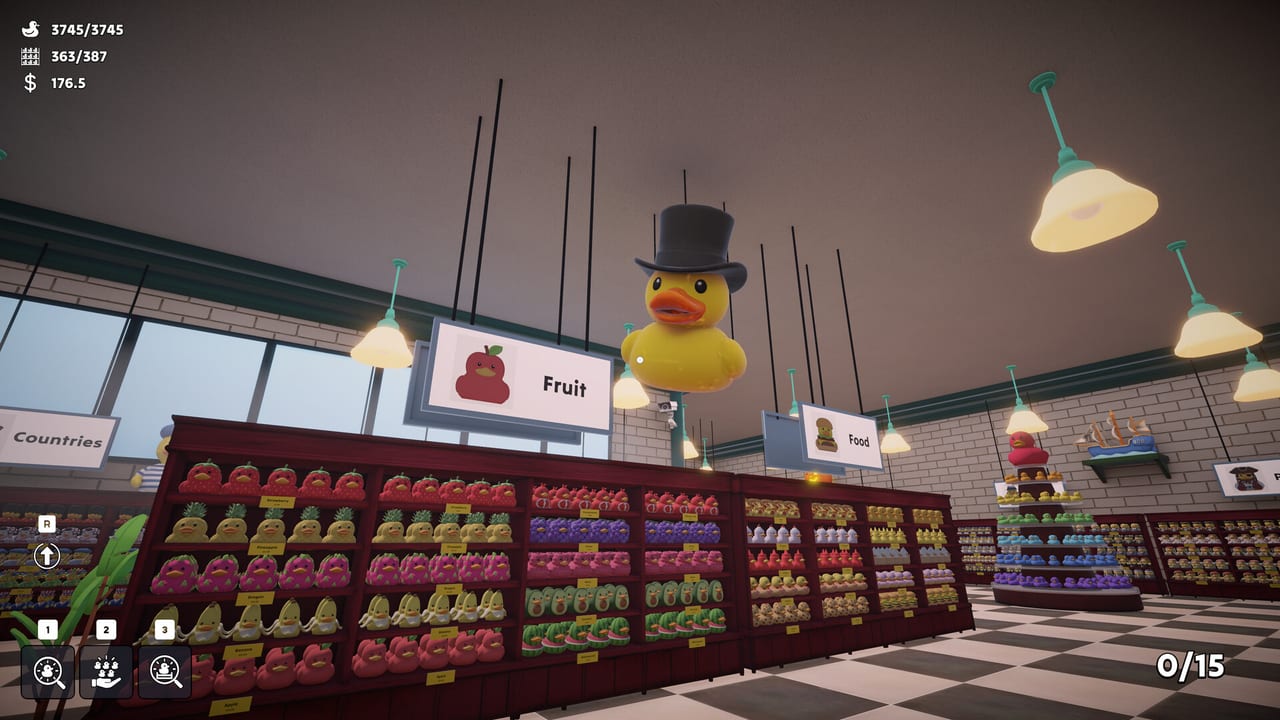
Sort Them Ducks looks like a toy store and sometimes runs like a particle test. Steam’s minimum line cites a GTX 980 Ti class GPU, which is a lot of paper for rubber ducks. Real reviews are mixed: some average PCs stay smooth for long sessions, some high-end machines still hitch when the camera faces a mountain of unplaced toys. This page is the practical fix list, not a benchmark table.
Pair it with Controls if input feels floaty, and with known issues if you think you are on a bug rather than a setting.
Official Ryzen launch option
Patch 1 added a launch option for Ryzen users that targets FPS drops, weird mouse sensitivity, and black-screen flickering. Steam reviews confirm the developer told people to use the new option. In the Steam client: game properties → launch options / extra launch paths — pick the Ryzen entry instead of the default.
If you are on Intel and stable, do not use it just because it exists. If you are on an AMD handheld and the image strobes, use it before you refund. One reviewer said flashing stopped and a white haze near windows remained. Haze is a different problem (see below).
FPS in dense piles
Look away from the spawn mountain when you do not need it. Cap FPS in the in-game settings or the Steam overlay. Preview writers dropped the cap and raised sensitivity together. Limited graphics options mean you cannot magic the hitch away with a shadow slider that does not exist. The hitch is the duck count.
Fill-from-hand can make it worse by sucking a crowd toward you. Aim the skill at a small pile. Skills is not a performance guide, but the magnet is a load spike.
Window haze versus flashing
Flashing / black frames: Ryzen option, update to Patch 1. White fog on superhero, country, and animal shelves: lighting through windows. Save those aisles, take breaks, or do them last as the store map suggests. Sunglasses were a real review joke and also a real coping method.
Steam Deck and laptops
Cap frames. TDP limits help more than buying a movement upgrade you cannot see. Cloud-sync before you hop to a desktop. If the handheld path is AMD, try the Ryzen option. Official platforms on the API are Windows-first; Deck success is community-proven, not a store badge. The store still prints SteamOS min/rec lines (Ryzen 3 3300U / i5-8250U class at minimum). Full tables live on system requirements. Treat Your Geek lowered the FPS cap and raised look sensitivity on mouse and controller — that pairing is the practical tweak when graphics sliders barely exist.
When to stop tweaking
If the shop is playable at 60 or even 40, go sort. A perfect frame time is not the achievement list. If the screen strobes in a way that is unsafe for you, stop and use the launch option or wait for the next hotfix. Comfort beats 100%.
Then return to Getting Started and ignore this page until the fans spin up again.
A calm order of experiments
Change one thing per launch. If you stack a FPS cap, a Proton flag, and a new GPU driver on the same boot, you will not know which knob helped. Start with the Ryzen line if you flash, then cap frames if piles stutter, then lower zoom if window aisles bloom. Write the working combo next to the planner — performance is a launch habit, not an in-game purchase.
Steam Deck players should treat Proton as the first experiment and the in-game zoom as the second. If a community post recommends a Windows-only console command, skip it on the handheld until you can test on a PC. The shop should stay playable with default graphics; if it does not, mail support with your GPU name rather than chasing unofficial boost pages.
Frequently Asked Questions
Quick answers to the questions players ask after a long sorting session.
Where is the Ryzen fix?
Steam launch options after Patch 1. Pick the Ryzen entry. It targets flicker, FPS, and odd mouse feel.
Why do I drop frames on a strong GPU?
Dense unplaced piles. Look away, cap FPS, avoid vacuuming the whole mountain at once.
Is window fog the same as Ryzen flash?
No. Fog is lighting on some aisles. Flash is the bug the launch option targets.
Will this run on Steam Deck?
Players have finished Deck runs. Cap FPS, test the Ryzen option on AMD handhelds if the image strobes, and read the SteamOS lines on system requirements.
Should I lower texture settings?
The game offers few graphics sliders. Cap FPS and look away from dense piles before you hunt a setting that does not exist.